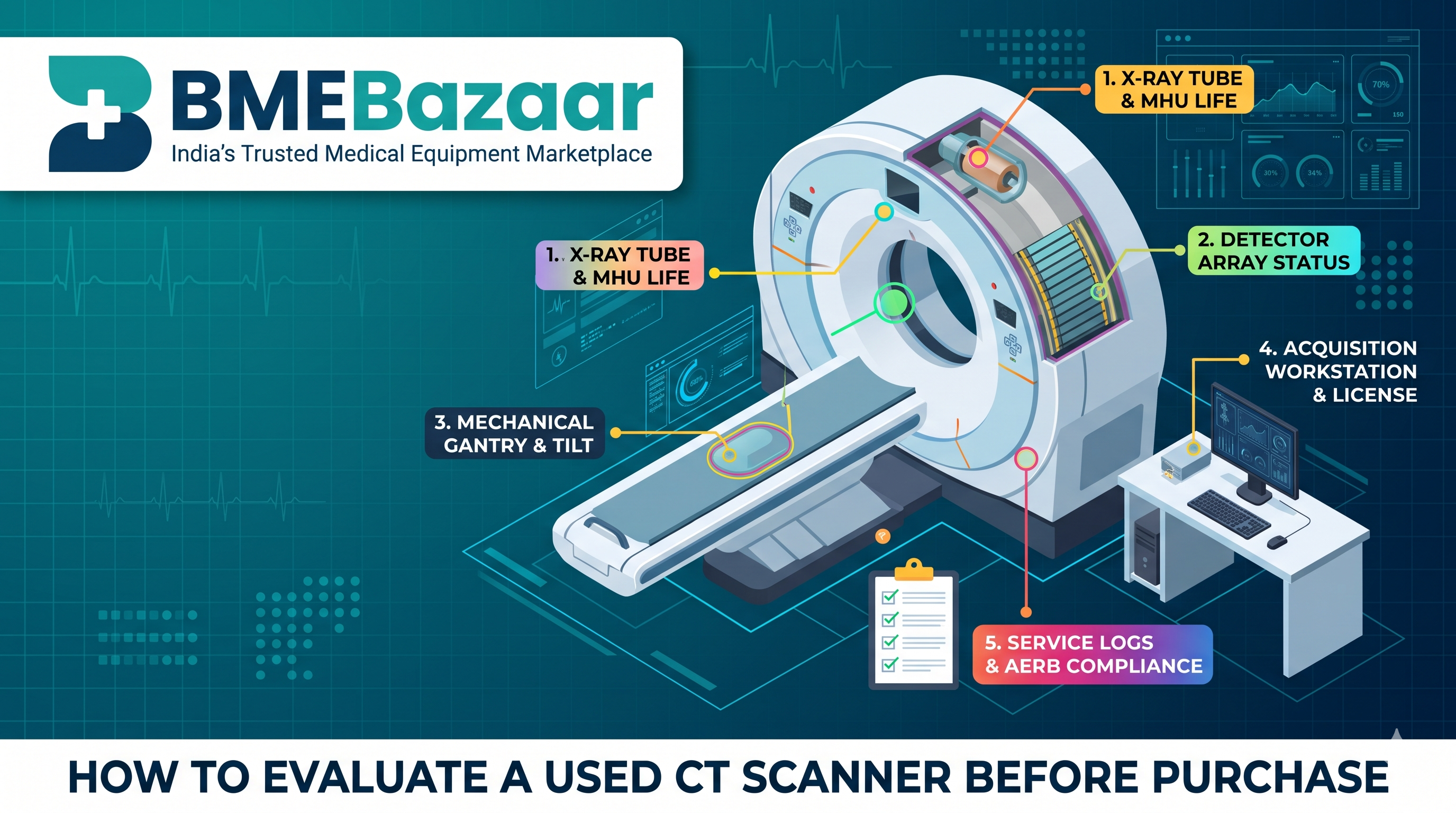
How to Evaluate a Used CT Scanner Before Purchase
A Computed Tomography (CT) scanner is a major revenue and clinical driver for any hospital or diagnostic imaging center in India. However, purchasing a pre-owned or refurbished CT scanner is a complex transaction, with prices often ranging from ₹18 Lakhs to ₹1.5+ Crore.
Since it contains thousands of delicate, high-speed moving parts, advanced software, and a powerful X-ray assembly, buying without a thorough evaluation can lead to costly downtime or expensive component replacements (such as a ₹25 Lakh+ X-ray tube).
This practical guide provides a step-by-step checklist to inspect, test, and verify a used CT scanner before making a purchase.
🔍 QUICK EVALUATION CHECKLIST:
1. Tube Life (Mega Heat Units / Scan Seconds)    4. Software & Workplace Licences
2. Detector Array Image Quality                  5. Mechanical Gantry Gid & Align
3. Service History (OEM & Preventive logs)       6. AERB Decomissioning Status
👉 Need verifying directly? Skip the broker markups and Browse used & refurbished CT Scanner listings here or Post a requirement on BMEBazaar.
1. Inspect the X-Ray Tube (The Most Expensive Component)
The X-ray tube is a consumable, and its replacement is the single highest expense in owning a CT scanner.
Review the Mega Heat Units (MHU): Check the tube’s heat capacity. For busy setups, choose a tube with higher MHU (e.g., 5.0 to 7.5 MHU) to ensure it handles back-to-back contrast and cardiac scans without overheating.
Determine Tube Age & Exposure Usage: Ask for the "Scan Seconds" or "Slice Count" accumulated on the current tube. A typical CT tube lasts between 1,50,000 to 3,00,000 scan seconds, depending on the model and usage. Anything past 1,50,000 requires budget planning for an eventual replacement.
Confirm the Serial Number & Model: Verify the serial number on the tube matches the scanner’s internal software records and service logs to ensure it hasn't been swapped out with an older or non-OEM part.
2. Evaluate the Detector Array & Image Quality
Detectors capture the attenuated X-rays and transform them into images; if they fail, the scanner is unusable.
Take Phantom Scan Images: Always take scan images of a standard calibration "phantom." Inspect the slices for any rings, bands, or straight streaking artifacts which often indicate dead or miscalibrated detector pixels.
Perform "Air Scan" Calibration: Watch the scanner go through its air-calibration sequence. Look closely at the raw detector output view to verify all channels respond uniformly without errors or dropped channels.
Assess Noise and Low-Contrast Resolution: review phantom test slices to confirm the scanner can distinguish fine details in soft tissues without excessively high image noise or graininess.
3. Review Service History & Maintenance Logs
A high-quality used scanner must have a traceable, professional history.
Original Service Logs: Ask for the maintenance history of the scanner. Ensure it was serviced regularly by trained biomedical engineers or original equipment manufacturer (OEM) teams (such as GE, Siemens, Philips, or Canon/Toshiba).
Preventive Maintenance (PM) Frequency: High-end systems require at least 3-4 preventive checks per year. Frequent PM reduces unexpected breakdowns and ensures the internal systems—especially the high-tension cables and cooling assemblies—stay in good condition.
Unboxing / Extraction Inspection: Confirm how the machine was decommissioned. Improper extraction or dropping can permanently misalign the internal components or crack fragile parts.
4. Check Software & Workstation Licenses
A CT scanner cannot function without its proprietary operating system and advanced diagnostic licenses.
Check Point | Details to Confirm |
Operating System | Verify the current software version. Make sure it boots up without license errors or startup flags. |
Advanced Clinical Licenses | Ensure the required specialty licenses are active and permanently attached to the machine (e.g., CT Angiography, Cardiac Scoring, Virtual Colonoscopy, 3D Reconstruction). |
Console & Acquisition Workstation | Inspect the actual computer, memory capacity, and workstation monitors. A slow, outdated computer will bottlenecks your patient scan turnaround. |
5. Evaluate Mechanical Gantry Tilt & Alignment
Listen for Mechanical Noise: Run the scanner at various speeds and tilt angles. Listen for grinding, whistling, or vibrating sounds from the rotating assembly—these could indicate worn-out bearings, gears, or drive belts.
Confirm Patient Couch Movement: Test all horizontal and vertical movements of the table with realistic weight (or a patient dummy). Check that the table aligns accurately with the laser positioning lights.
Assess Gantry Tilt Function: Tilt the gantry forward and backward to its limits. Verify that the motion is smooth, does not jump, and returns perfectly to its zero-angle position.
6. Verify e-LORA (AERB) & Legal Compliance in India
In India, radiation diagnostic units must be registered with the Atomic Energy Regulatory Board.
e-LORA Decommissioning & Transfer: Confirm that the current owner has officially logged a decommissioning request on the e-LORA portal. This "de-registers" it from their facility, allowing you to register and approve it at your location.
AERB Layout Approval: Ensure your designated CT room has proper shielding (lead-lined walls and doors) to pass AERB inspects.
Quality Assurance (QA) Certificate: Check that the seller provides the most recent third-party QA certificate to confirm radiation safety and calibration standards are met.
Protect Your Investment on BMEBazaar
Traditional used equipment brokers in India can add 15% to 30% unnecessary markups on high-value diagnostic machines. Bypass the middleman and deal directly with hospitals, clinics, and verified biomedical engineers.
Browse Used and Refurbished CT Scanners — Explore direct, zero-brokerage listings for imaging equipment from across India.
Post Your Specific Requirement — Seeking a specific configuration (e.g., 16-slice, 32-slice, 64-slice) from GE, Siemens, or Philips? Post a free requirement on BMEBazaar and have verified sellers reach out to you directly.